
Check the link and what you sign
Check the Link and What You Sign: Reading a Wallet Pop-Up Before You Approve
Check a website's address before connecting, and read a wallet pop-up well enough to reject a transaction that would take more than you meant.
Thinking a site that looks right is right. A copy can look identical, and the only things a copy can't fake are the exact web address and what the transaction does, which your wallet shows you before you sign.
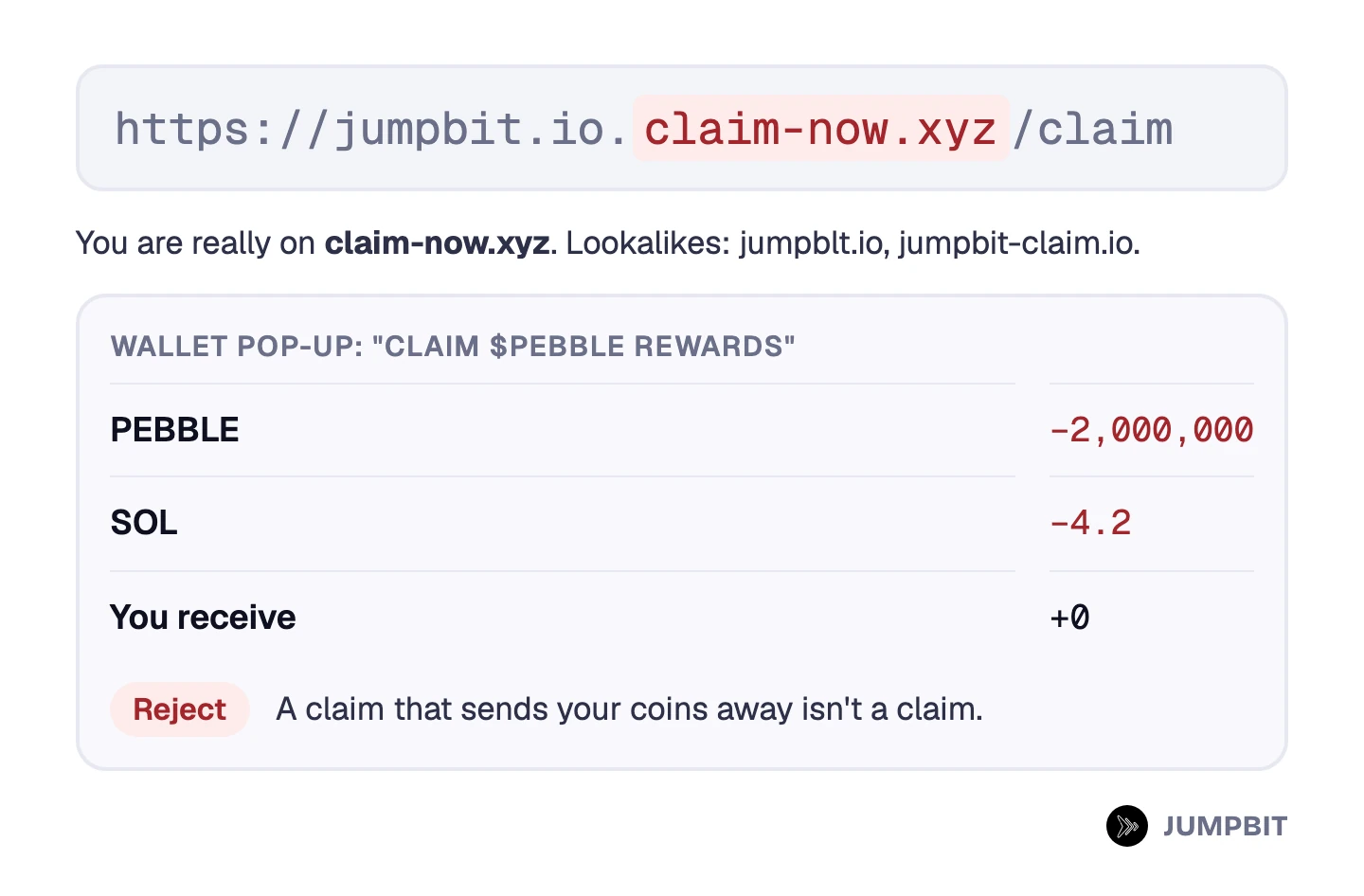
Moment 1: the address
A scam site can copy every picture, colour and button of a real one. What it can't copy is the address. So it uses one that's close:
| Real | Lookalike | The trick |
|---|---|---|
| jumpbit.io | jumpblt.io | An l in place of an i |
| jumpbit.io | jumpbit-claim.io | Extra words |
| jumpbit.io | jumpbit.io.claim-now.xyz | The real name at the front of a different site |
Read the part just before the first single slash, from right to left. In jumpbit.io.claim-now.xyz, the site is really claim-now.xyz.
Habits that protect you:
- Open sites you use from a bookmark, not from links in messages, replies or search ads.
- If you arrived through a link, check the address before you connect your wallet.
Moment 2: the pop-up
When a site asks for a transaction, your wallet shows a pop-up before anything happens. This is your last chance, and the wallet, not the website, is telling you what will happen. Many wallets simulate the transaction and show the expected changes to your balances.
Read three things:
- What leaves your wallet. Does it match what you meant to do? A 1 SOL buy should show about 1 SOL leaving, plus fees.
- What arrives. Are you receiving the coin you expected?
- Warnings. If the wallet says the site is suspicious, or that it can't simulate the transaction, stop.
Red flags: reject the transaction
- Coins you didn't mean to touch are leaving. A claim, a mint or a "verification" never needs your other tokens.
- Much more SOL than you expected is leaving.
- It asks to approve or delegate. That would let another address move your tokens later.
- Several transactions at once for something simple. Ask why before you sign them all.
- A "sign message" that you don't understand. Signing in with a message is normal. If the text mentions transfers or approvals, don't.
What a $PEBBLE holder sees
You follow a link to "claim $PEBBLE rewards". The site looks exactly like $PEBBLE's. You connect, and the wallet pop-up shows: −2,000,000 PEBBLE, −4.2 SOL, +0 of anything. A claim that sends your coins away isn't a claim. You reject it, then notice the address bar says pebbIe.app, with a capital I.
The rule
Check the address before you connect. Read the pop-up before you sign. If what leaves your wallet isn't what you meant, reject.
Check yourself
Say your answer out loud or in your head first. Then open it and be honest about whether you got it.
- 1In the address jumpbit.io.claim-now.xyz, which site are you really on?
- 2A "claim" pop-up shows your SOL and other coins leaving and nothing arriving. What do you do?
- 3Spot the trick: jumpblt.io instead of jumpbit.io.
- 4Why open sites you use from a bookmark?
- 5A wallet pop-up asks you to approve or delegate your tokens. What would that allow?
- 6Your wallet says it can't simulate the transaction. What do you do?
- 7Recap · 4.5Someone messages you first, saying they're support, and asks you to verify your wallet on a link. What should you assume?
Go deeper
Education, not financial advice. Crypto can lose all its value.